Turn Any Photo into a Coloring Page — Free Online
No sign-up · No watermark · Up to 15 free pages a day · Print-ready PDF
Pick a style in coloring-page mode: Classic, Anime, Kawaii or Mandala. Every style gives you pure black-and-white lines at 300 DPI and counts as one of your daily pages.
Free, no watermark · Choose a photo to start
See what your photo becomes
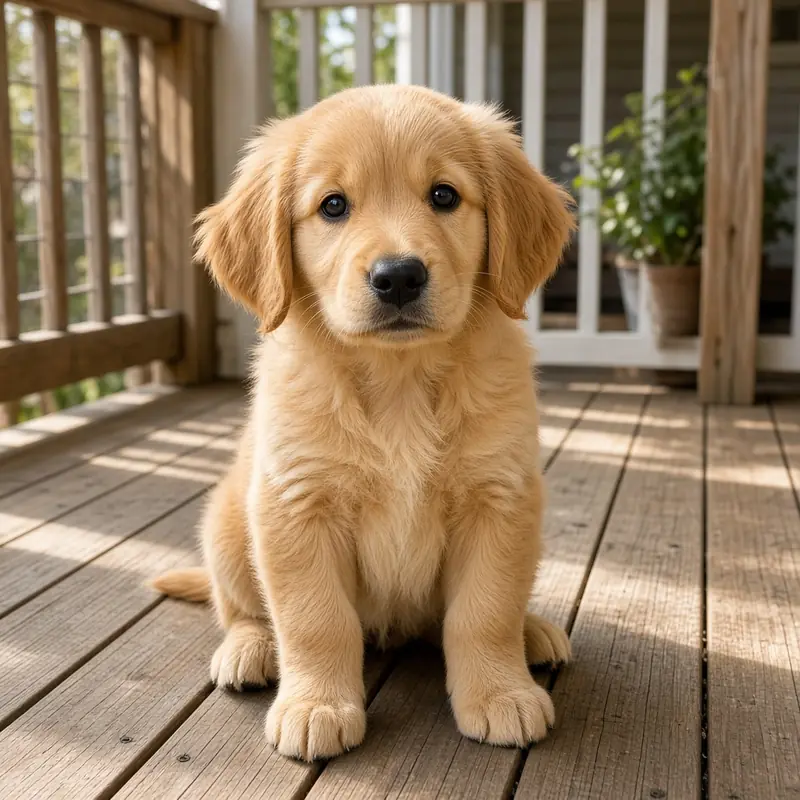
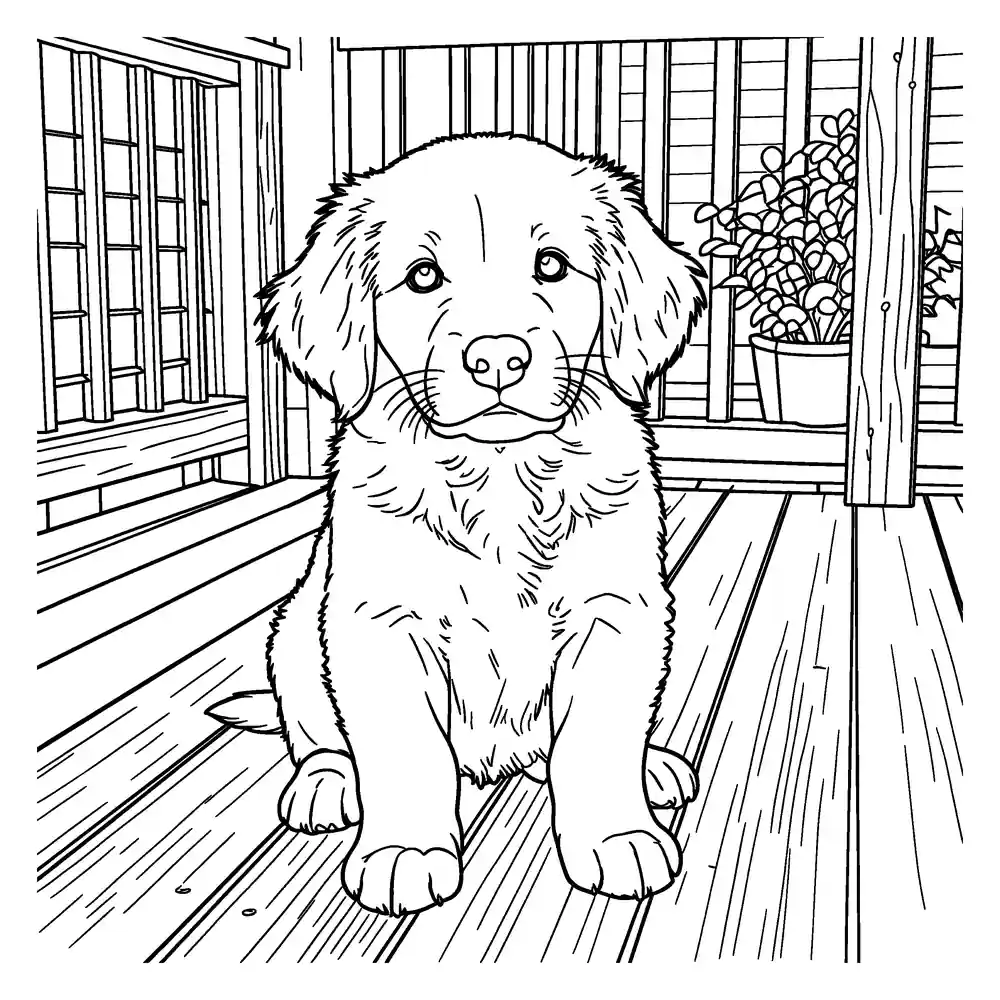
Upload a photo to get a clean, printable black-and-white coloring page. Download it as PNG or a ready-to-print PDF.
- Free daily pages — no watermark, no account
- PNG or print-ready PDF (A4 / US Letter)
- Photo deleted from our servers within 24 hours
Coloring pages and line art are made by our AI provider, fal.ai, which processes your photo under its own terms; we send it with fal's request storage turned off. Outlines are traced on our servers without AI. We delete your photo from our storage once the page is made (24 hours at most), and results after 7 days or right away with Delete now. Privacy
Real photos, real results · drag or use the arrow keys
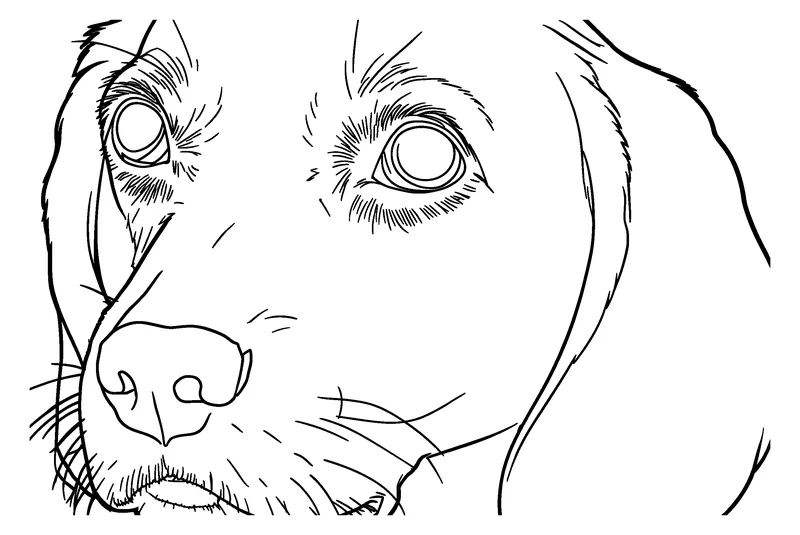
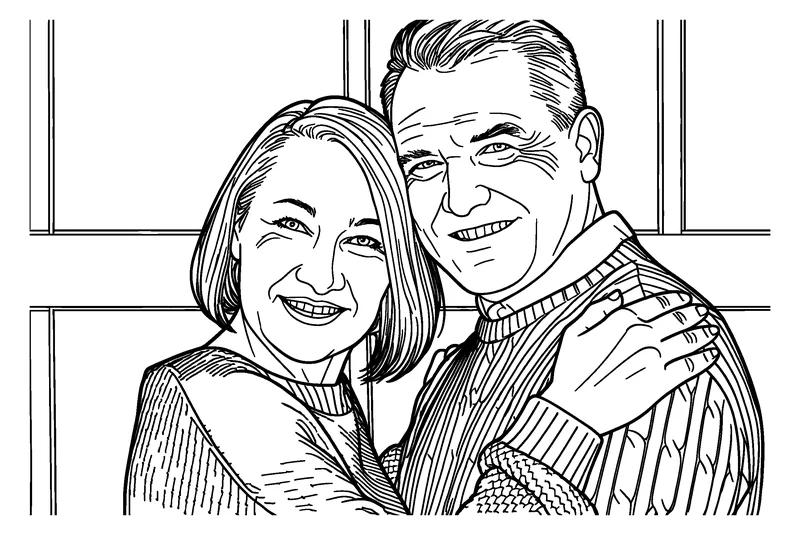

Pick a style: Simple, Standard, Detailed or Bold & detailed
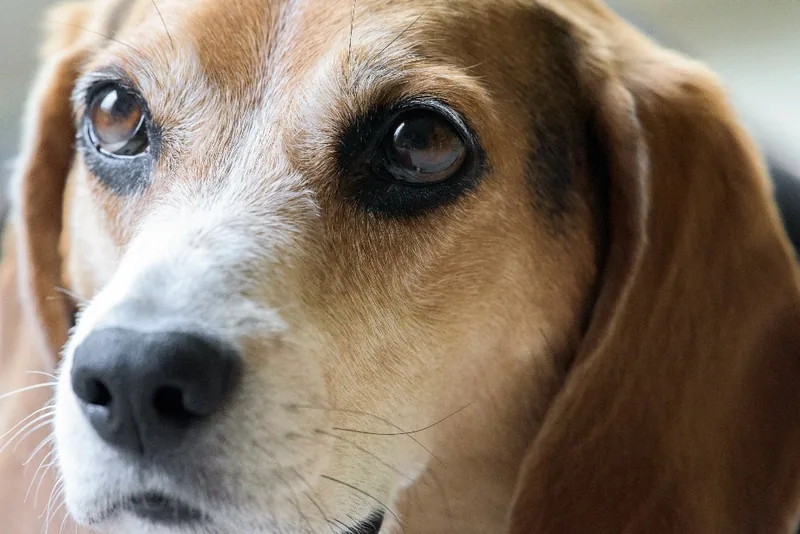
Here is the same beagle photo turned into a coloring page at each of the four detail levels. Nothing was retouched: these are the files the photo to coloring page tool produced.
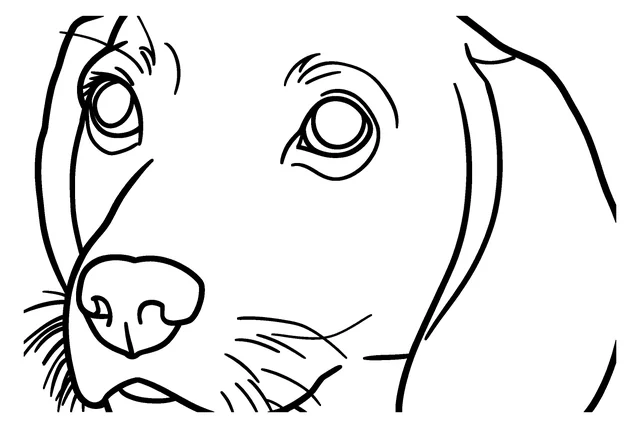
Simple
The fewest lines and the biggest shapes. Good for young children and for small or blurry photos.
Standard
The default. The face stays recognizable and fur, hair and clothes become open areas to color. Right for most photos.
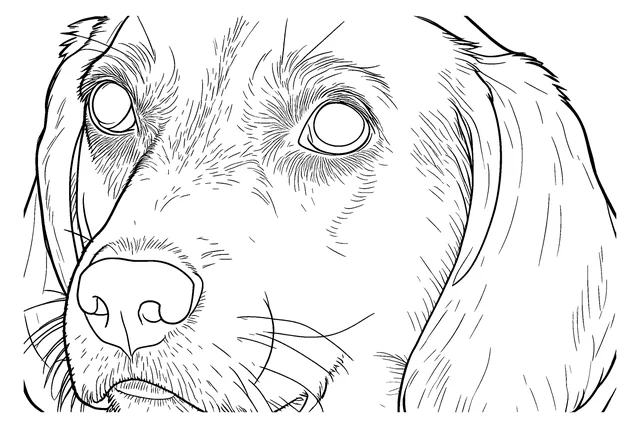
Detailed
More lines for texture such as fur and fabric. For older kids and adults who want a longer coloring session.
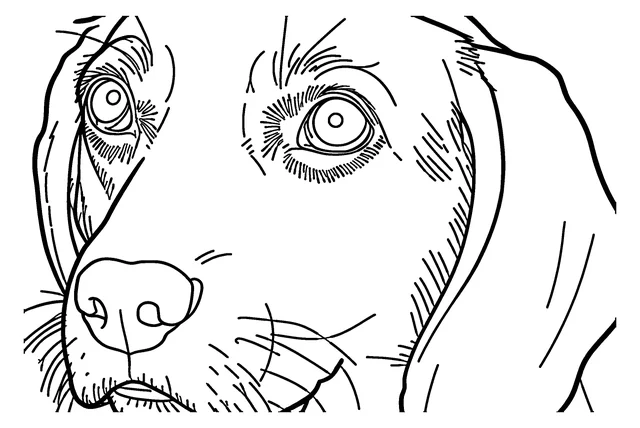
Bold & detailed
Thick, even lines that still try to keep faces, lace and veils. Good for portraits, couples and markers.
Not sure? Start with Standard. Trying another level uses one more free page. Example · Photo: Joe deSousa / StockSnap, CC0
How to turn a photo into a coloring page
- 1
Upload a photo
Choose a JPEG, PNG, WebP or HEIC photo. It stays in your browser until you click Generate.
- 2
Choose the detail
Pick Simple, Standard, Detailed or Bold & detailed, and US Letter or A4.
- 3
Generate and print
Click Generate, then download a print-ready PNG or PDF, or add the page to a coloring book.
A page takes about a minute. If the first result isn't quite right, change the detail level and generate again; each try uses one free page. Pages you like can go straight into a photo coloring book.
Make a whole coloring book from your photos (PDF)
Add up to 12 pages, a cover with a title and a name, and download PDFs for US Letter and A4.
Add pages from any tool with “Add to coloring book”, or upload several photos at once. You can reorder the pages and preview the whole book first. Each page uses one of your free daily pages. Print the PDF at home or take it to a local print shop.
Ideas: pets, family, gifts, classrooms and weddings
Pets
Dogs, cats and every furry friend.
Try itFamily
Portraits, holidays and group photos.
Try itGifts
A personalized coloring book made from your photos.
Try itClassrooms
Class pets, field trips and science projects.
Try itWeddings and anniversaries
A coloring book of your wedding photos.
Try itEtsy sellers
Coloring pages from your own photos.
Try itKDP authors
A coloring book PDF from your own photos.
Try itWhy use this picture to coloring page converter
This photo to coloring page tool is made for one job: turning your own photos into pages you can print at home and color. Everything below is how the site works today.
- No account. You can upload, generate and download without signing up.
- No watermark on any page, free or not.
- Up to 15 free AI coloring pages and line art drawings a day, plus up to 100 outlines. The count resets at midnight UTC.
- JPEG, PNG, WebP and HEIC images up to 10 MB after resizing, so it also works as an image to coloring page converter for screenshots and drawings.
- Every page is a print-ready 300 DPI PNG that keeps the shape of your photo, and you can download a PDF sized for US Letter (8.5 × 11 in) or A4 (210 × 297 mm).
- A page takes about a minute.
- Your photo is deleted from our storage right after the page is ready (24 hours at most). Pages are deleted after 7 days, or as soon as you click Delete now.
- There is no public gallery, and we don't use face recognition.
- If a page fails for a technical reason, the free page it used is returned automatically.
The coloring page tool redraws your photo as clean, closed shapes. For a drawing that keeps more of the hair, texture and folds, use image to line art. For an exact trace of the edges already in the photo, without AI, use the image to outline converter; outlines don't use your AI pages. For quick pages for young kids, turn pictures into coloring pages starts on Simple.
What it can and can't do
- Can: turn a clear photo into clean black outlines on white, ready to color.
- Can: simplify busy backgrounds so the main subject stands out.
- Can: collect your pages into a coloring book with a cover, as a PDF you can print at home or take to a local print shop.
- Can't: promise every face looks exactly like the photo. Small faces in group shots may lose detail.
- Can't: add color. Every page is black and white, made for you to color in.
- Can't: process adult content or photos you don't have the right to use.
Tips for a better page
- Use a sharp, well-lit photo where the main subject fills most of the frame.
- A background that is lighter or darker than the subject helps the outlines stand out.
- Crop group photos closer so each face is larger. The example below is the same photo of four friends, whole and cropped.
- Try Simple for young children: fewer, bigger shapes are easier to color.
- For dark or long-haired pets, Standard keeps the face clearer than Simple. There are more pet tips on the pet photo to coloring page page.
- For couples and portraits, Bold & detailed gives thicker lines and still tries to keep faces, lace and veils. See the family photo coloring page for more.
- Fixes for common problems and printing tips are in our step-by-step guide on how to turn a photo into a coloring page.

The photo
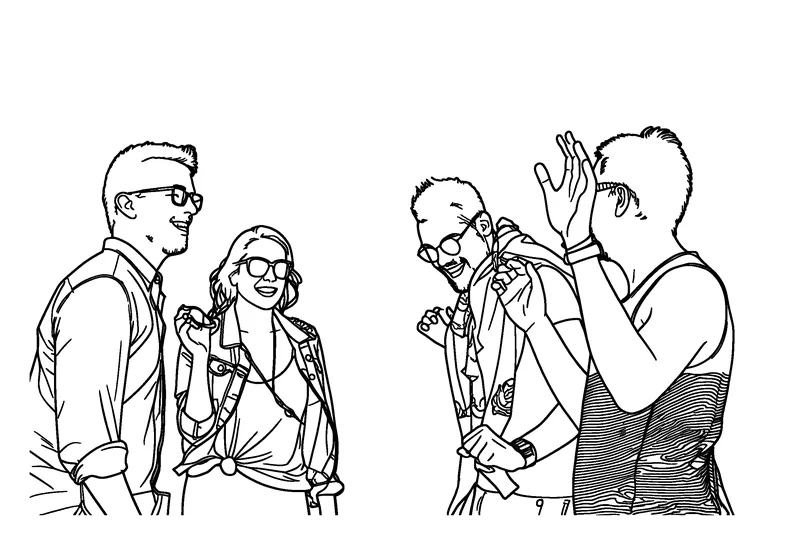
Whole photo: faces are small
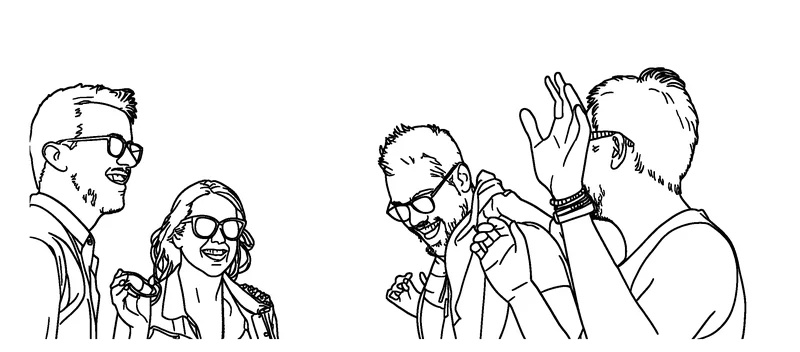
Cropped closer: faces are larger
Frequently asked questions
Is this photo to coloring page converter free?
Yes. You can make up to 15 AI coloring pages and line art drawings a day, plus up to 100 outlines, with no watermark and no account. The number left for today is shown under the Generate button and resets at midnight UTC.
Do I need an account?
No. You can upload, generate and download without signing up.
How do I turn a picture into a coloring page?
Upload a photo, choose Simple, Standard, Detailed or Bold & detailed, and click Generate. After about a minute you can download a PNG or a PDF for US Letter or A4.
Can I convert a screenshot, a drawing or any image to a coloring page?
Yes. JPEG, PNG, WebP and HEIC images up to 10 MB after resizing all work. Only use images you took, own or have permission to use.
What kind of photos work best?
A sharp, well-lit photo where the subject fills most of the frame. A background that is lighter or darker than the subject helps. In group photos each face is smaller, so a closer crop keeps faces clearer.
Can I make a coloring book from my photos?
Yes. Add up to 12 pages, give the book a cover title and a name, and download it as PDFs for US Letter and A4. Each page in the book uses one of your free daily pages.
What size are the pages?
Each page is a black-and-white, print-ready 300 DPI PNG that keeps the shape of your photo. PDFs are sized for US Letter (8.5 × 11 in) or A4 (210 × 297 mm).
What happens to my photo?
Your photo stays in your browser until you click Generate. For coloring pages and line art it is then sent to our AI provider, fal.ai, which makes the drawing. We send it with fal's request storage turned off, so it isn't kept in fal's request history, but fal processes it under its own terms and privacy policy. Outlines are traced on our own servers and never go to an AI provider. We delete the photo from our storage right after the page is ready (24 hours at most). Results are deleted after 7 days, or when you click Delete now.
What if a page fails or I don't like it?
If a page can't be made for a technical reason, the free page it used is returned automatically. If you don't like a result, try a different detail level or a closer photo; regenerating uses another free page.
Can I sell the pages I make?
Our terms currently cover personal, family, classroom and gift use. Terms for selling haven't been published yet.